Cast HR + Zoom
Schedule Zoom video interviews right in Cast. Find out how to manage Zoom settings and schedule interviews for your team.
Note: Enabling Zoom integration is a one-time setup for your entire organization and must be completed by a user with a Zoom Admin account. Once enabled, the integration is available for all users in your Cast account who are scheduling interviews.
How to enable Zoom integration
You need admin permissions to enable this integration.
Open Company Settings
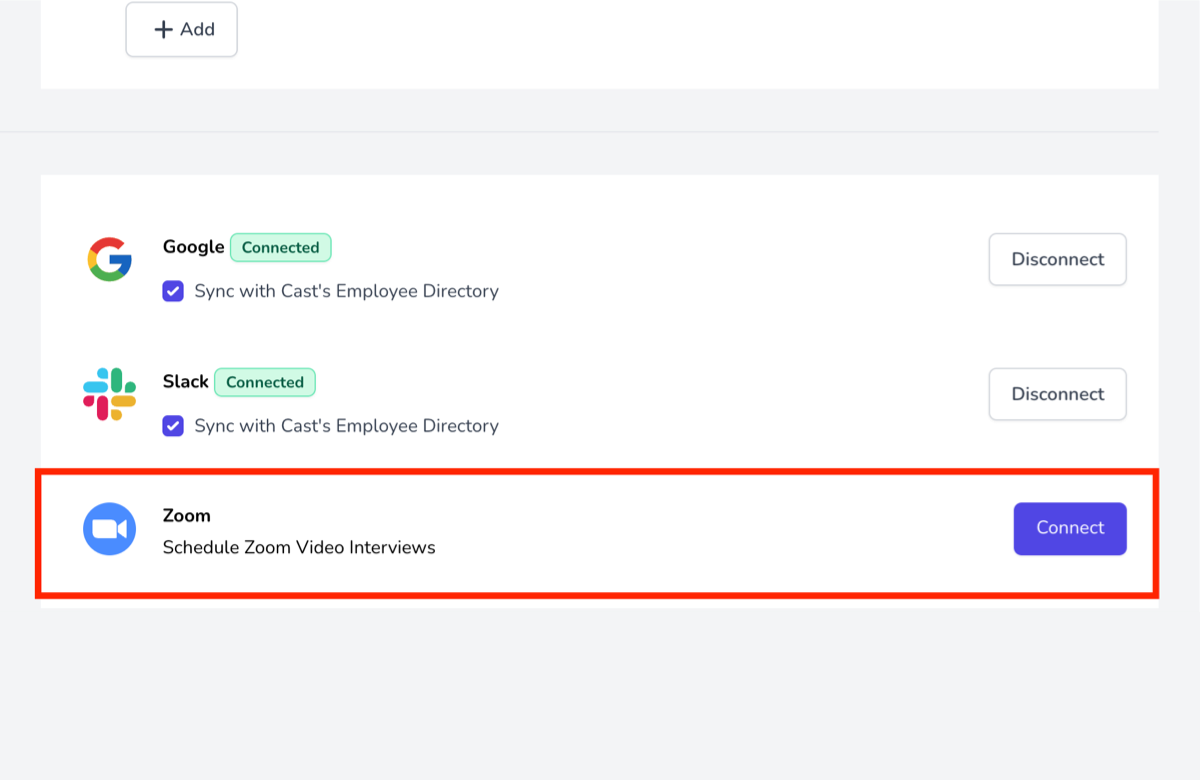
Navigate to Admin, then Company Settings. Scroll to the "Integrations" section.
Connect Zoom
Click "Connect" under Zoom Video Interviews.
Authorize
On the Zoom authentication page, enter your credentials and authorize the integration. Once redirected back to Cast, Zoom is enabled for everyone.
Schedule an interview with Zoom
Open candidate profile
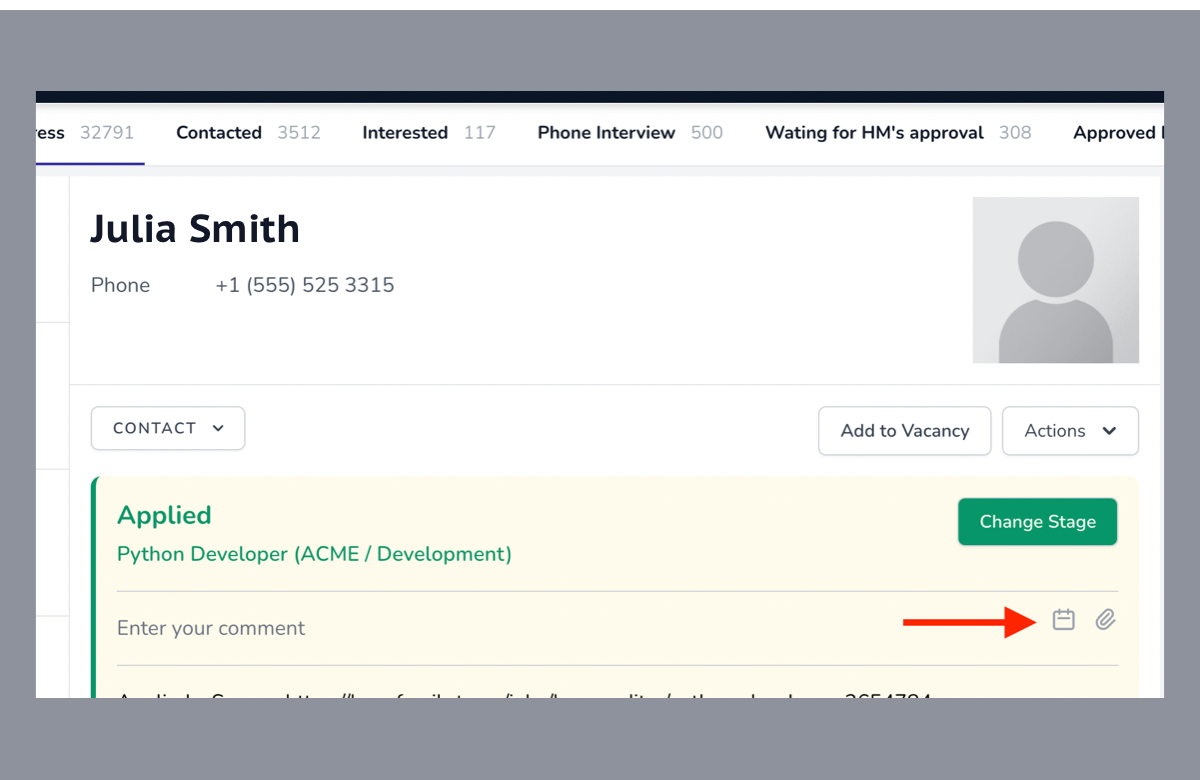
Navigate to a candidate profile (Hiring → Applicants) and click Schedule Interview (calendar icon) under the desired position.
Fill in details
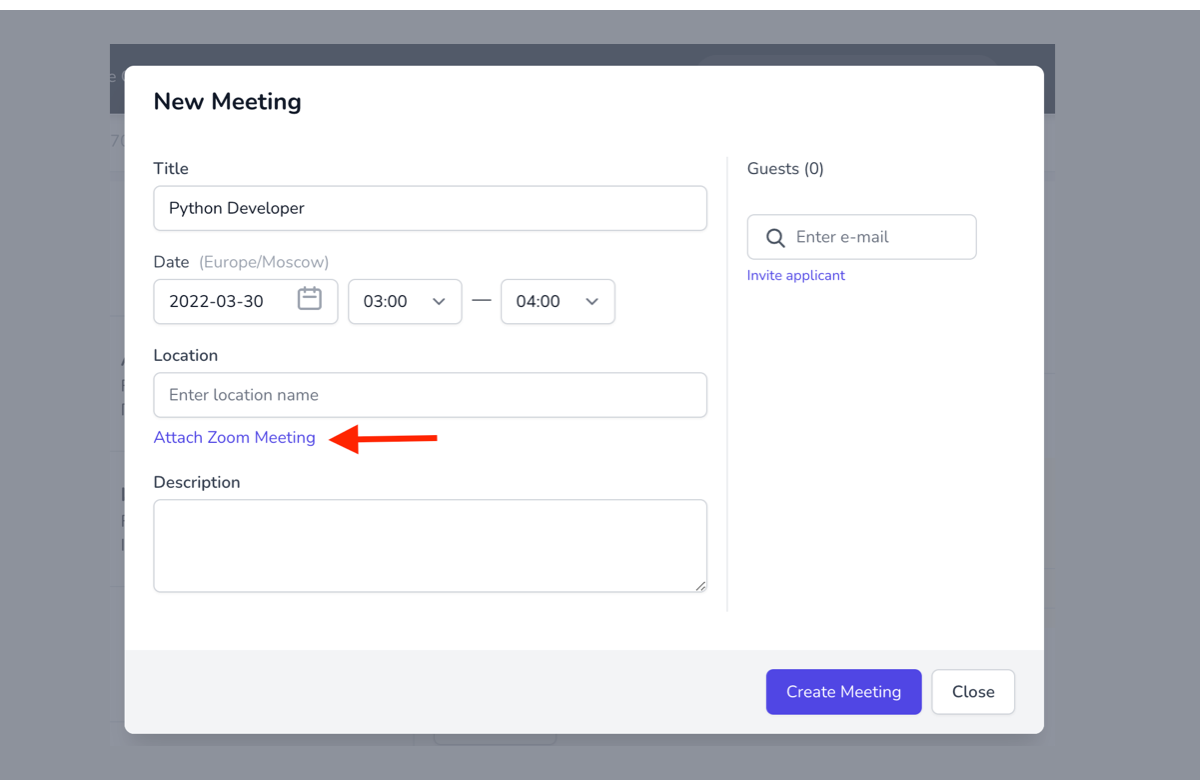
Enter the date, time, and interviewers, then click "Schedule and Continue" at the bottom-right of the page.
Set date, time & interviewers
Attach Zoom meeting
Tap "Attach Zoom meeting" to add a Zoom link to the meeting invite. Once scheduled, the video link will launch a Zoom meeting for all participants.
Good to know
Meeting link timing
The video link is active from 5 minutes before the meeting starts until 30 minutes after it ends.
Candidate info
Candidate info isn't displayed in Zoom. Open Cast in another tab to access profiles and tools during interviews.
Recording
Enable recording within Zoom during the meeting. Meetings recorded in Zoom are not automatically uploaded to Cast.
Removing integration
Log in to Zoom, navigate to the App Marketplace, go to Manage → Installed Apps, find Cast HR, and click Uninstall.
Stop duct-taping
your HR.
Set up your account in 10 minutes. Free for teams up to 20. No credit card required.