Integration

Cast HR + Slack

Slack is one of the most popular corporate messengers. Integration with Cast HR lets you stay in touch with employees, manage PTO requests, and share recognitions — all without leaving Slack.

Features

Approve PTO requests in Slack

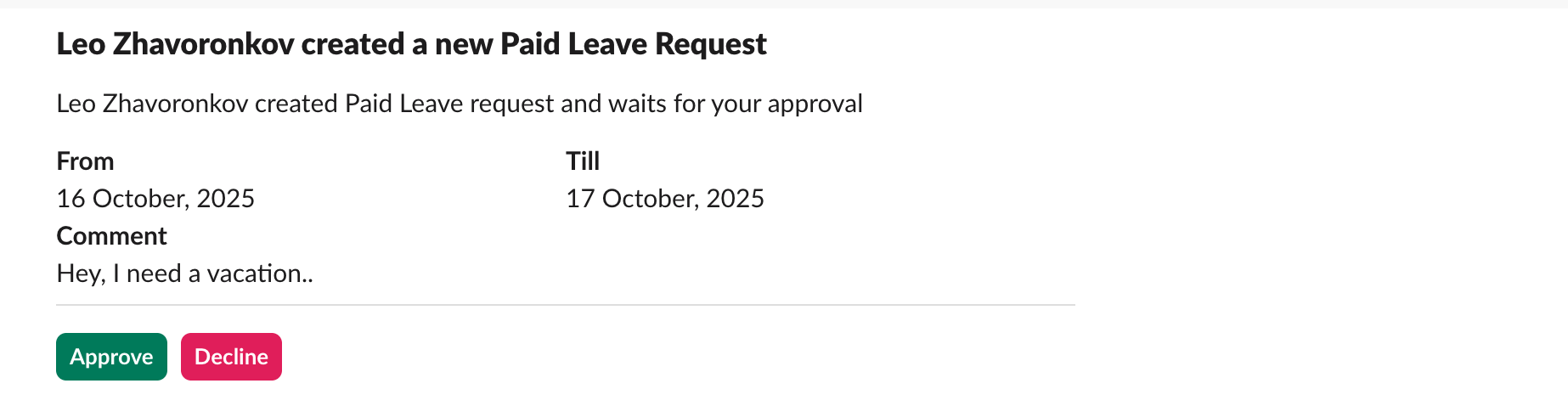
Receive notifications of vacation requests with the option to confirm or reject directly in Slack chat — respond without leaving Slack.

Slack PTO request notification

PTO status notifications

Get notified about approved or rejected PTO requests instantly in your Slack workspace.

Slack PTO approval notification

Post Kudos right from Slack

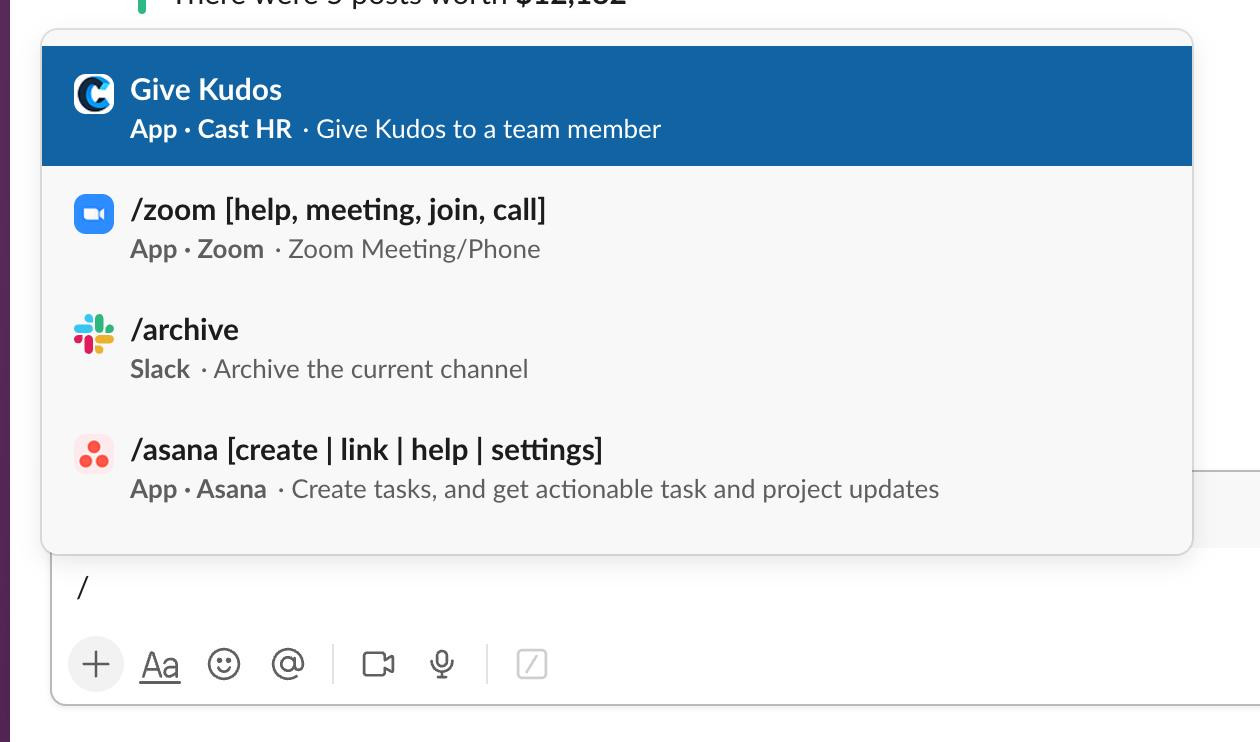
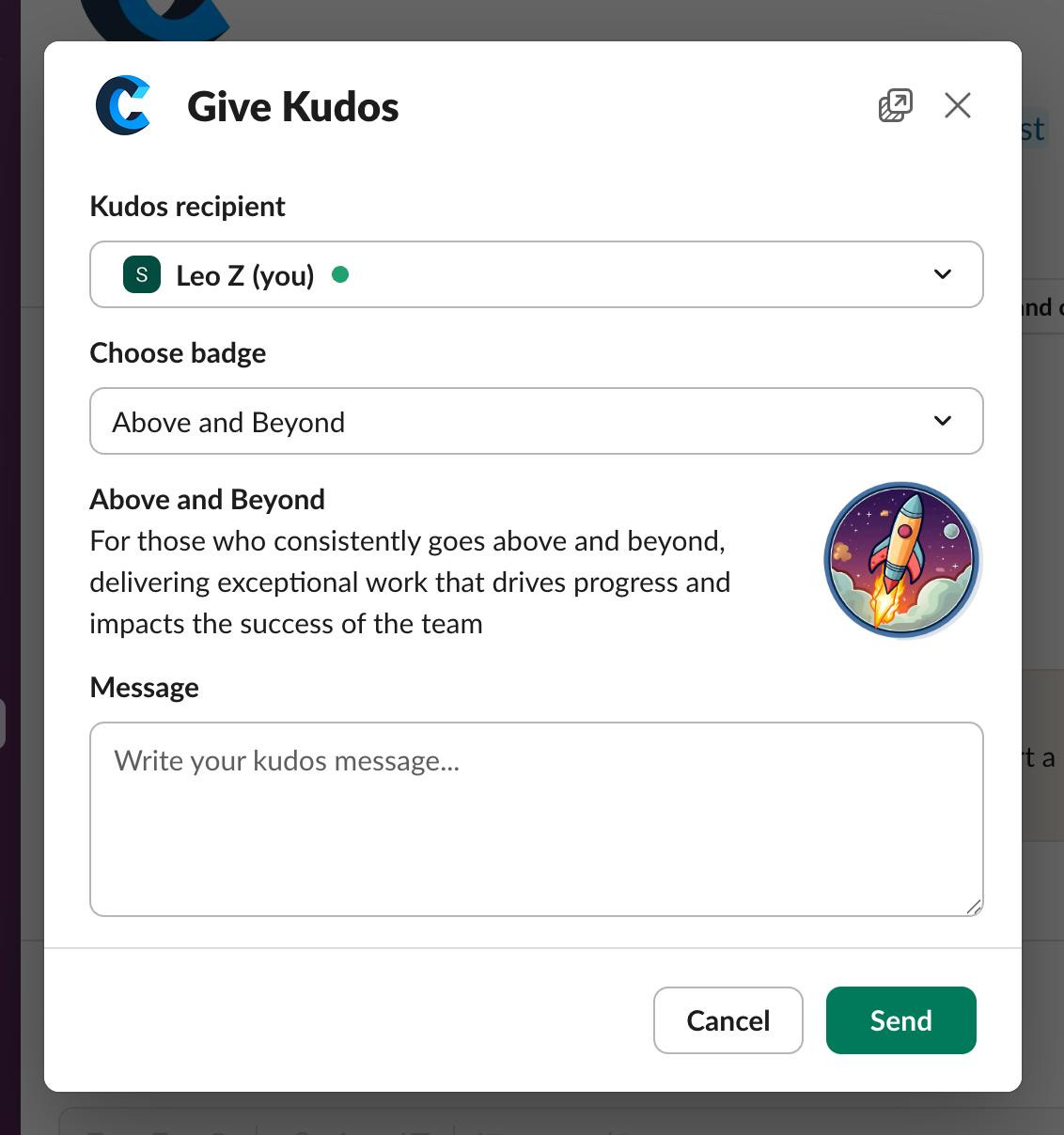
Send peer-to-peer recognitions directly in Slack. Open the context menu by typing "/" and select Send Kudos. Then follow the prompts to select recipients, choose a type of kudos, add a message, and send.

Slack Kudos menu
Slack Kudos form

Recognitions broadcast

Celebrate wins company-wide by automatically broadcasting employee awards and Kudos to a designated public Slack channel, fostering a culture of recognition and keeping your entire team connected to achievements in real-time.

How to connect Slack with Cast

1

Sign in with Slack

Use the "Sign in with Slack" button on the login screen to connect your account automatically.

2

Or connect as an admin

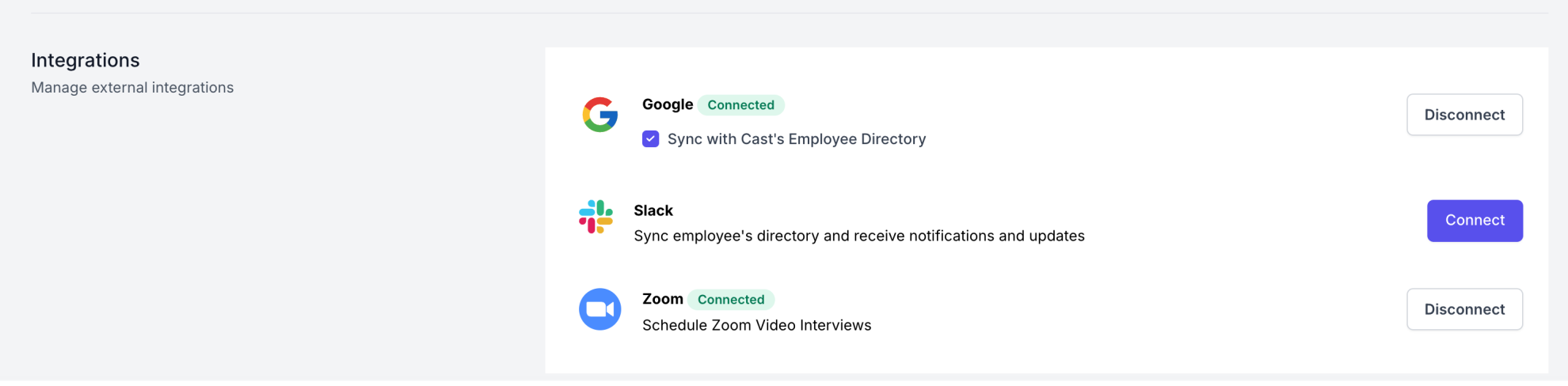
As an organization admin, click "Connect with Slack" on the External Integrations page.

Connect with Slack in admin settings

Stop duct-taping
your HR.

Set up your account in 10 minutes. Free for teams up to 20. No credit card required.